Plugin
MS ClipExpander
Clip, limit, or expand the mid and side channels independently.
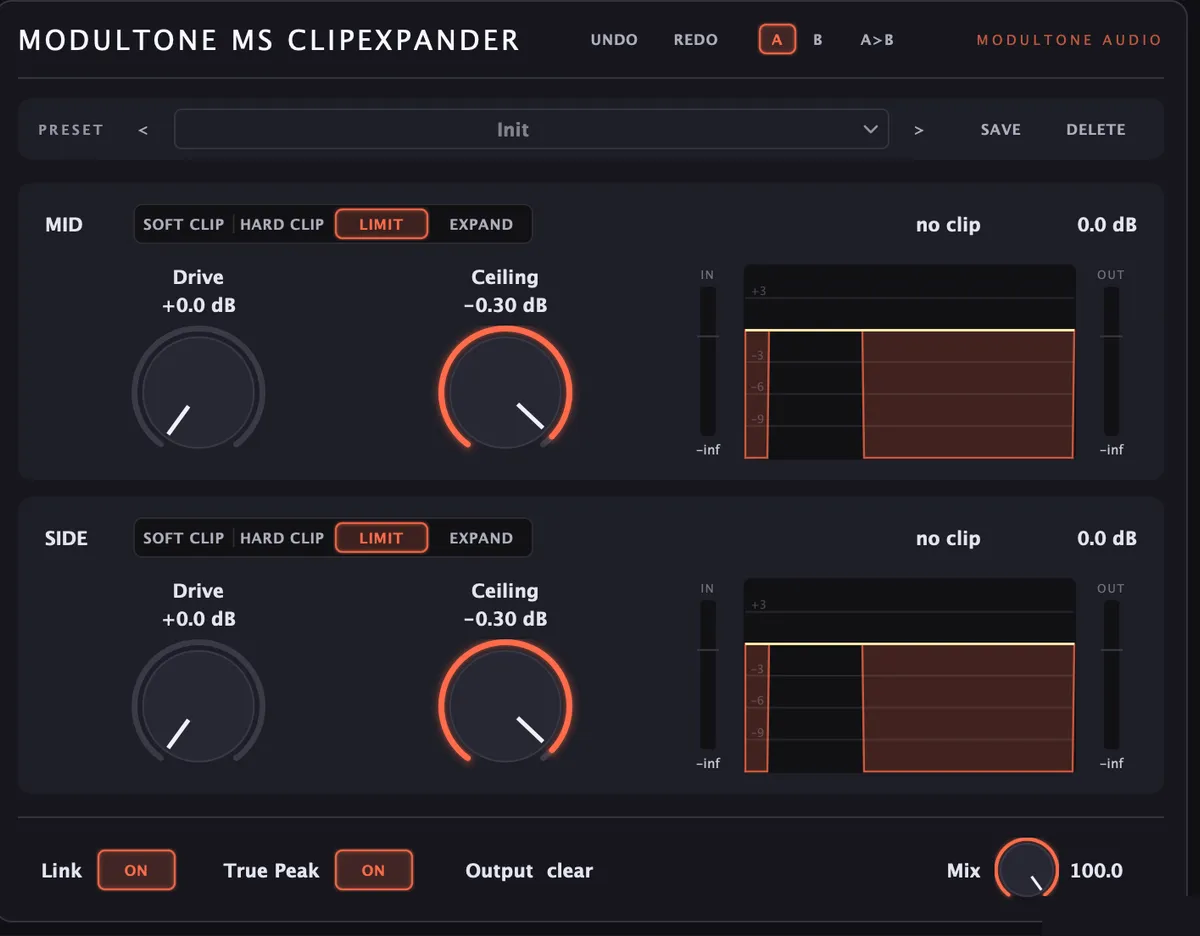
Limiting a master bus is a compromise: catch the loud parts hard enough and the quiet parts get sucked along for the ride. Running Mid and Side through separate stages breaks that trade-off apart — the kick and bass, mostly sitting in Mid, get caught on their own terms, while the width and air in the Side channel aren't ducked every time the low end hits. Four modes per channel, independent drive and ceiling on each, and 'catch the peaks' and 'protect the width' stop being the same knob.
Hear it
Clip modes
Soft Clip
Rounds the peak rather than cutting it flat. The most forgiving mode — adds harmonic saturation as it catches transients.
Hard Clip
A flat ceiling. Anything past it is cut, not rounded — more aggressive, more audible, more effective at raising perceived loudness.
Limit
Transparent gain reduction rather than waveform clipping. The default, everyday-use mode — catches peaks without adding character.
Expand
The inverse of the other three: pushes quiet passages down instead of pulling loud ones in, for material that needs more contrast, not less.
What it does
- Four modes per channel: Soft Clip, Hard Clip, Limit, Expand
- Independent drive and ceiling for mid and side
- True Peak detection catches inter-sample peaks
- Link ties mid and side together with one control
- Real-time clip percentage and gain reduction readout per channel
- Mix blends processed and dry signal for parallel-style limiting
Specs
- Formats
- VST3, AU, AAX
- Requirements
- macOS 11 or later (Apple Silicon & Intel) · Windows 10 or later (64-bit) · VST3, AU, or AAX host